Repository navigation
Support option chaining syntax highlighting #522
Description

TS and JS Grammar Extension version: 0.0.22 / latest
From microsoft/vscode#34776 (comment)
Feature request
Support highlighting the proposed option chaining syntax for JS/TS
const a = {
  b: {
    c: {
      d: {
        e: 1,
        g: [1, 2, 3],
      },
    },
    f: null,
  },
};

const brokenSyntaxHighlighting = () => {
  const array = a?.b?.c?.d?.g;

  /**
   * No TypeEror, but syntax highlighting is broken
   */
  const test = a?.b?.f?.f;

  for (let i = 0; i < array.length; i++) {
    console.log(array[i]);
  }
};

brokenSyntaxHighlighting();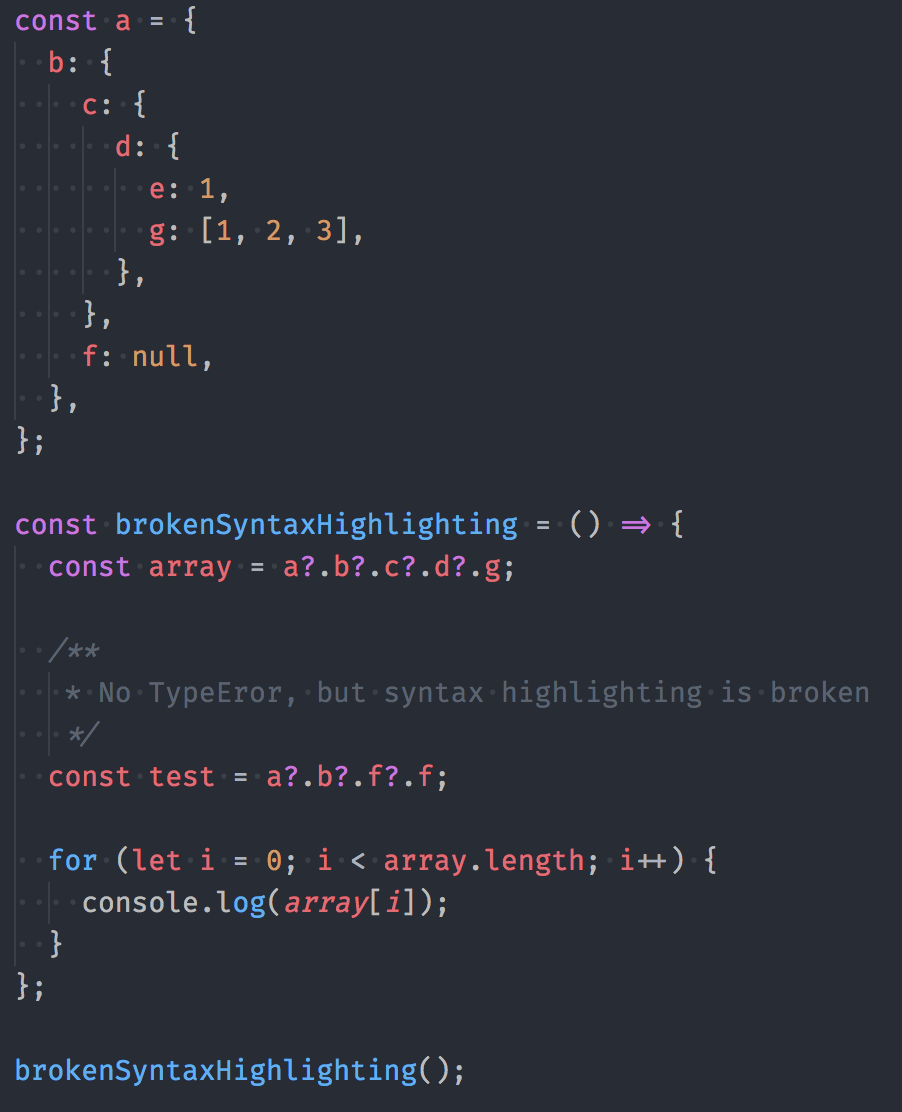
TS support for this is tracked by: microsoft/TypeScript#16
Activity
sheetalkamat commentedon Oct 3, 2017
This feature is still in stage 1. Will look at it once it gets into stage 3
zalishchuk commentedon Nov 28, 2017
Sheetal Nandi (@sheetalkamat) Is it really hard to implement syntax support for this feature? We have to use something like idx for these purposes which is not always convenient.
oychao commentedon Dec 22, 2017
I need this very hardly.
zalishchuk commentedon Dec 24, 2017
Sheetal Nandi (@sheetalkamat) can you please update https://github.com/sheetalkamat/TypeScript-TmLanguage-VsCode?
fungilation commentedon Jul 18, 2018
Time to revisit this, with React Native 56 integrating optional chaining support, now in babel 7.
This is the best thing about coffeescript and so much more convenient than the verbose alternative. But broken syntax highlighting in VSCode is getting in the way of full adoption.
mehulmpt commentedon Jul 23, 2018
Well currently you can sort of get around this by disabling VSCode's internal javascript linter and using something like eslint, but obviously you lose some features of vscode linter like dimming of unused variables/imports, etc.
fungilation commentedon Jul 23, 2018
I see in my VSCode default config:
Which tells me eslint is already the default VSCode linter? If not, how would you turn off the internal js linter?
EDIT: I see this in settings is to turn off internal js validation, and I already have:
mjbvz commentedon Jul 23, 2018
This repository only handles syntax coloring. Semantic understanding of chaining is tracked by microsoft/TypeScript#16
jabsatz commentedon Sep 6, 2018
Babel 7 has been released with the optional chaining operator as a plugin, is there any chance of revisiting this?
daix6 commentedon Aug 1, 2019
It's time!!
bondparkerbond commentedon Aug 7, 2019
Optional Chaining is officially in Stage 3. Should this issue be reopened?
spassvogel commentedon Aug 12, 2019
Please consider to implement this.
orta commentedon Aug 12, 2019
I agree, I think it's time this should get re-opened
unbug commentedon Sep 17, 2019
nhardy commentedon Oct 31, 2019
Orta Therox (@orta) Sheetal Nandi (@sheetalkamat) Should this be reopened? It looks like #768 only added nullish coalescing support, not support for optional chaining which will land in TS3.7 on November 5th.
sheetalkamat commentedon Nov 4, 2019
Nathan Hardy (@nhardy) optional chaining is supported. If you have a sample that doesnt work please open another issue with it to track it separately.