Repository navigation
Flex box "align-items" or "justify-content" causes smaller drop area #1869
Description

Describe the bug
List item is unable to be added properly to group container with either flex position properties align-items, justify-content accompanied to flex parent.
To Reproduce
Steps to reproduce the behavior:
- Go to group css container that holds the list
- Change properties to following
.group {
  display: flex;
  align-items: center;
  justify-content: center;
}
Expected behavior
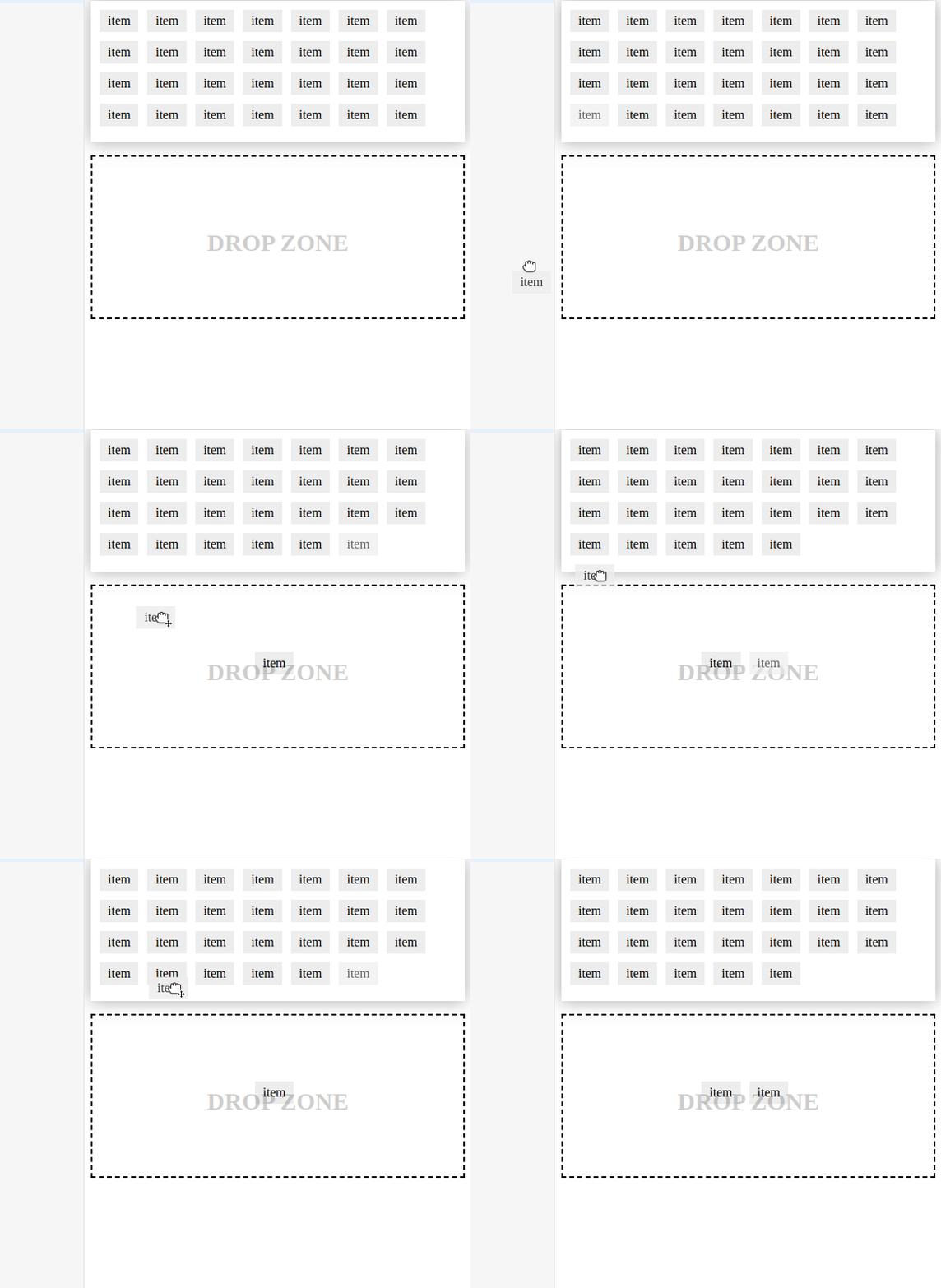
List item clone ghost to appear in group as soon as cursor enters group and added to group when letting go of item.
This works fine if the group has zero items, but once you try to add another item, it seems that the drag and drop boundary has been cut in half, so you have to drag the item to bottom half in order to drop it.
Information
sortablejs = ^1.10.2
Reproduction
https://jsbin.com/kuhugefinu/1/edit?html,css,js,output
Activity
aquaductape commentedon Jul 27, 2020
Skimming through the source, the reason why the item is able to be detected by an empty sortable, is if the sortable doesn't have any children, then it will be added. However if the sortable has children, it fails the
_ghostIsLastconditional, therefore the item isn't added to the sortable when dropping. Once the dragging item is below the half the sortable ( if direction set to "horizontal" ), then ghost item appears properly, then letting go the item is able to be added to the sortable because it passes the_ghostIsLastconditional.Sortable/src/Sortable.js
Lines 1170 to 1195 in 88838bf
This is a naive workaround, but this removes the second half of the animation of the target shared sortable. Only tested with simple sortables, no nested or multidrag stuff. Since my project deals with just simple drag and drop, I'm okay with losing that animation, since I gain the correct functional dropping over a non-empty sortable.
Here's a demo, it and test under Shared list section, it has three instead of two
waynevanson commentedon Aug 31, 2020
@aquaductape Thanks for checking out the source!
If you can make a PR, we can test it on the site to see if any of the tests and examples break in functionality.
jjeff commentedon Nov 1, 2020
Is this the same bug as #1942?
owen-m1 commentedon Jul 4, 2021
Fixed in 1.14.0